انتقل إلى معلومات المنتج
1 ل 3

AIP827 USB Operation Keyboard YOKOGAWA

AIP827 USB Operation Keyboard YOKOGAWA

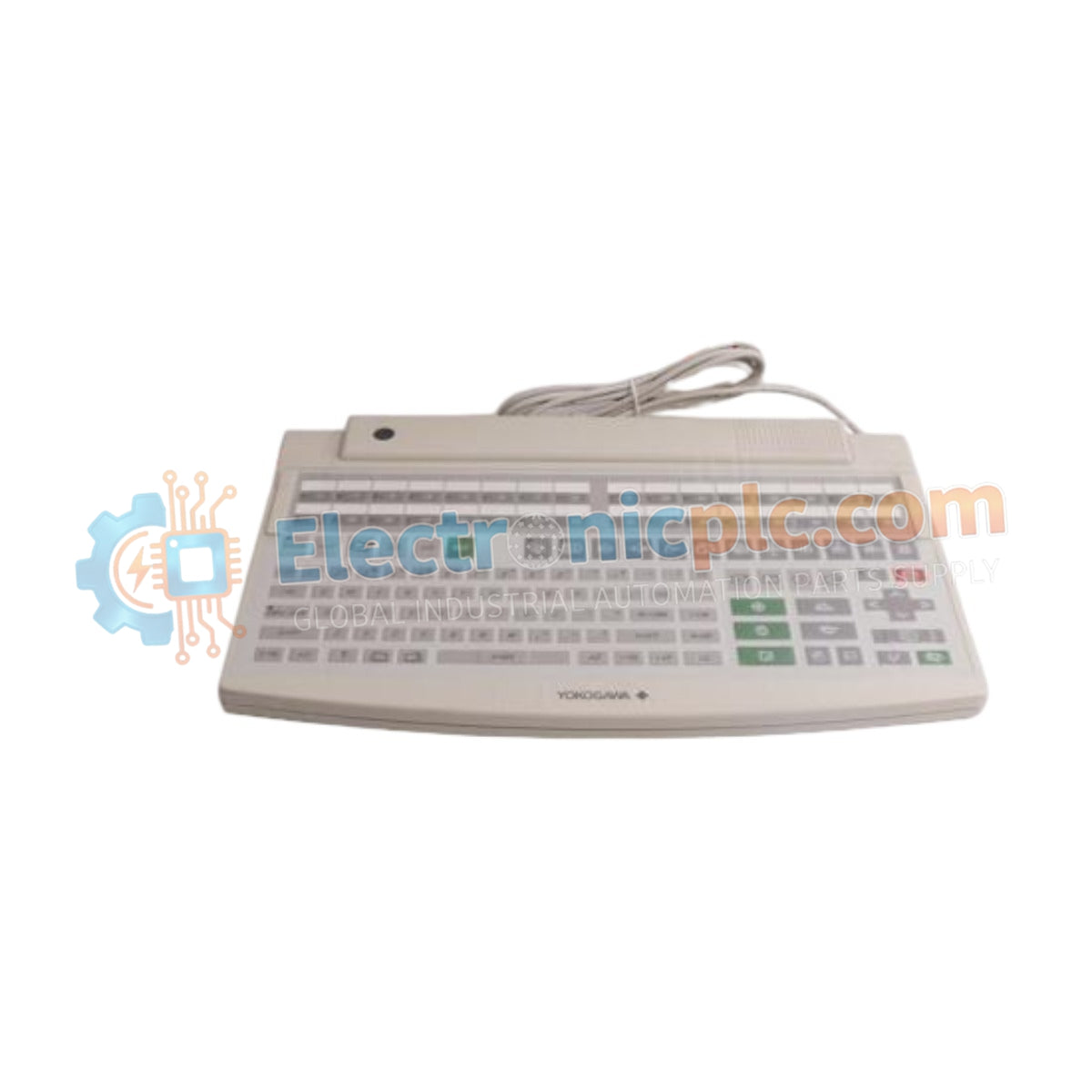
Configured for human-machine interface (HMI) interaction in control environments, the YOKOGAWA AIP827 (AIP827 USB Operation Keyboard) provides direct physical input execution for Human Interface Stations (HIS).

Hardware Specifications

...
22 يشاهد الناس هذا الآن

التوافرفي الأوراق المالية

رمز المنتج: AIP827
بائع: Yokogawa
Related Series:

الشحن والإرجاع

توصيل موثوق به في جميع أنحاء العالم

  • شركات الشحن: يتم الشحن عبر DHL أو FedEx أو UPS أو USPS .
  • الشحن: تتم معالجة الطلبات خلال يوم عمل واحد إلى يومين، ويتم شحنها خلال 3 إلى 5 أيام عمل .
  • التتبع: يتم توفير تفاصيل التتبع الكاملة عبر البريد الإلكتروني عند الشحن.

ضمان استرداد الأموال خلال 30 يومًا

  • الضمان: فترة إرجاع لمدة 30 يومًا للمنتجات المتوفرة في المخزون والمغلفة من المصنع.
  • الشروط: يجب أن تكون المنتجات غير مفتوحة وغير مستخدمة وفي عبوتها الأصلية.
  • الأصالة: نضمن أن تكون الأجهزة أصلية 100% .

هل تحتاج إلى مزيد من التفاصيل؟ اقرأ سياسة الشحن وسياسة الاسترداد الكاملة.

الأصالة والضمان

  • ضمان أصلي: نحن نوفر فقط قطع غيار أصلية 100%، جديدة تمامًا، ومغلقة من المصنع .
  • تغطية كاملة: كل مكون مدعوم بضمان شامل لمدة 12 شهرًا من تاريخ الشراء.
  • إمكانية التتبع: جميع المنتجات تأتي مع وثائق المصنع الأصلية والملحقات اللازمة للامتثال الكامل للمعايير الصناعية.

الدعم الفني والتوريد

  • مساعدة الخبراء: يقدم فريقنا الفني استشارات مجانية لمساعدتك في التحقق من التوافق مع أنظمة DCS و PLC.
  • مصادر القطع النادرة: متخصصون في المكونات القديمة والتي يصعب العثور عليها من Allen-Bradley و Siemens و ABB و HIMA وغيرها.
  • للاستفسارات المتعلقة بالكميات الكبيرة: تواصلوا معنا على pambo@5gplc.com للحصول على أسعار الكميات الكبيرة أو عروض أسعار المشاريع المخصصة.
عرض تفاصيل المنتج الكاملة

Configured for human-machine interface (HMI) interaction in control environments, the YOKOGAWA AIP827 (AIP827 USB Operation Keyboard) provides direct physical input execution for Human Interface Stations (HIS).

Hardware Specifications

Parameter Specification
Model AIP827
Brand YOKOGAWA
Origin Japan
Weight 2.5 kg
Dimensions 44 cm x 28.4 cm x 5.2 cm
Operating Temp 5 to 40 deg C
Power Consumption 20 VA
Connection Type USB A-type
Input Voltage 100-120 VAC or 220-240 VAC
Ingress Rating Dust- and drip-proof

Process Control Instrumentation Connectivity

The AIP827 facilitates integration with control systems via standardized USB connectivity, ensuring deterministic signal transmission between the operator input and the HIS. The hardware is engineered for process control environments where 4-20 mA HART loop protocol monitoring is frequently managed through the operator interface. The unit supports robust channel-to-channel isolation principles in its underlying interface architecture to prevent signal interference from external peripherals, maintaining data integrity during operator-initiated control sequences.

Frequently Asked Questions

Q: Can the AIP827 be connected to standard commercial USB hubs?

A: While the interface is USB A-type, direct connection to the dedicated HIS USB port is mandated to ensure signal timing stability and compatibility with Yokogawa driver protocols. Avoid using unpowered commercial hubs to prevent input latency.

Q: Is the keyboard field-repairable if liquid ingress occurs?

A: The AIP827 features a dust- and drip-proof flat design; however, internal membrane components are not field-repairable. Any breach of the protective casing requires complete unit replacement to maintain the ingress protection rating.

Field Installation Guidelines

  • Place the unit on a stable, vibration-dampened surface to maintain the integrity of the flat membrane keys during high-frequency data entry.
  • Ensure the AC adaptor power cable is routed away from high-voltage electromagnetic interference sources to prevent noise injection into the USB signal line.
  • Verify the input voltage range switch or auto-sensing capability matches the local 100-120 VAC or 220-240 VAC power source before connection.
  • Maintain the operating environment between 5 deg C and 40 deg C; operation outside this range may degrade the responsiveness of the flat keyboard contact points.
  • Utilize the integrated feet if the viewing angle of the HIS monitor requires an elevated keyboard tilt for optimal ergonomic response and mechanical stability.