انتقل إلى معلومات المنتج
1 ل 3

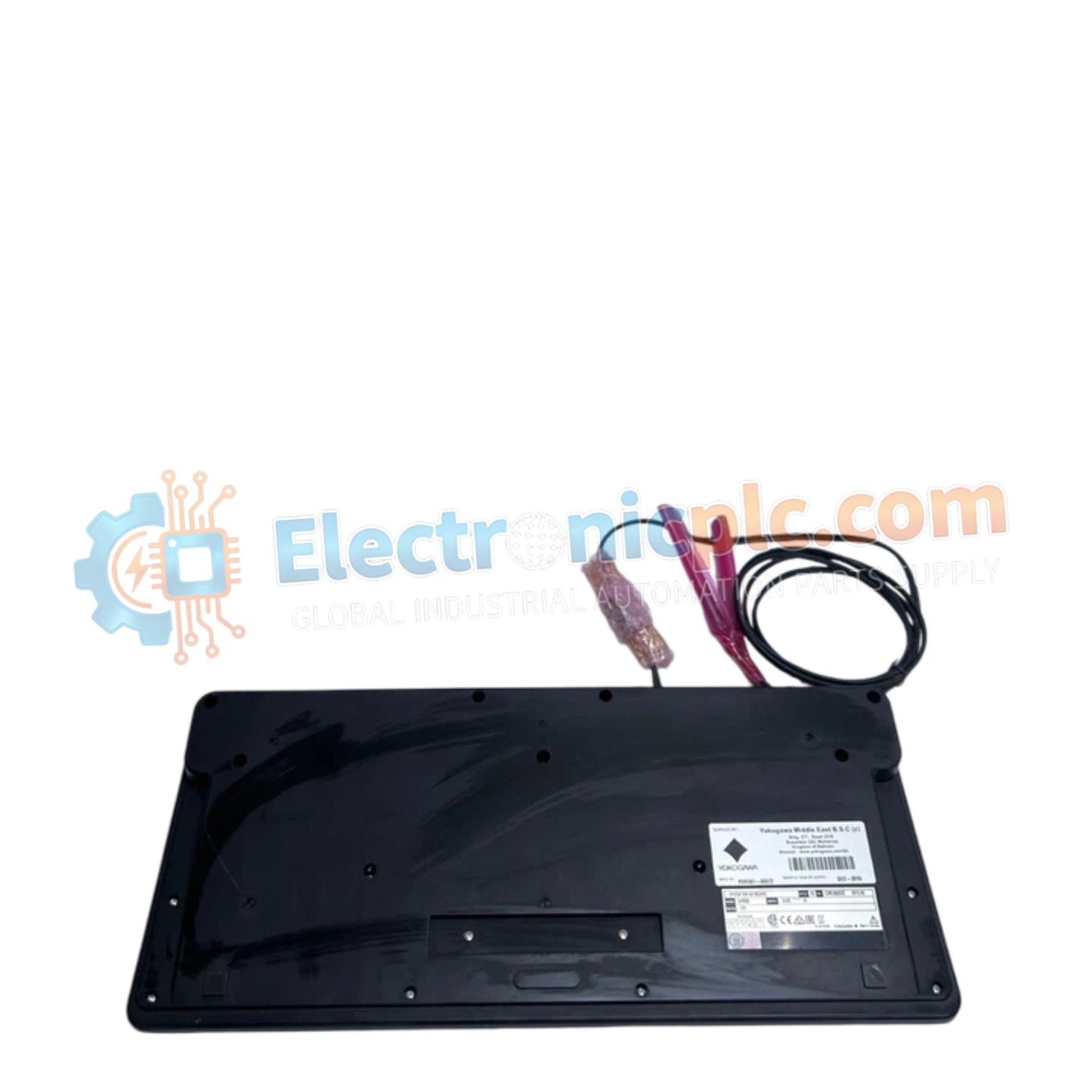
AIP830-101 Operation Keyboard Yokogawa

AIP830-101 Operation Keyboard Yokogawa

Configured for process control monitoring within DCS environments, the Yokogawa AIP830-101 (AIP830-101 Operation Keyboard) provides direct human-machine interface execution via a standardized USB peripheral architecture.

Hardware Specifications

...
27 يشاهد الناس هذا الآن

التوافرفي الأوراق المالية

رمز المنتج: AIP830-101
بائع: Yokogawa
Related Series:

الشحن والإرجاع

توصيل موثوق به في جميع أنحاء العالم

  • شركات الشحن: يتم الشحن عبر DHL أو FedEx أو UPS أو USPS .
  • الشحن: تتم معالجة الطلبات خلال يوم عمل واحد إلى يومين، ويتم شحنها خلال 3 إلى 5 أيام عمل .
  • التتبع: يتم توفير تفاصيل التتبع الكاملة عبر البريد الإلكتروني عند الشحن.

ضمان استرداد الأموال خلال 30 يومًا

  • الضمان: فترة إرجاع لمدة 30 يومًا للمنتجات المتوفرة في المخزون والمغلفة من المصنع.
  • الشروط: يجب أن تكون المنتجات غير مفتوحة وغير مستخدمة وفي عبوتها الأصلية.
  • الأصالة: نضمن أن تكون الأجهزة أصلية 100% .

هل تحتاج إلى مزيد من التفاصيل؟ اقرأ سياسة الشحن وسياسة الاسترداد الكاملة.

الأصالة والضمان

  • ضمان أصلي: نحن نوفر فقط قطع غيار أصلية 100%، جديدة تمامًا، ومغلقة من المصنع .
  • تغطية كاملة: كل مكون مدعوم بضمان شامل لمدة 12 شهرًا من تاريخ الشراء.
  • إمكانية التتبع: جميع المنتجات تأتي مع وثائق المصنع الأصلية والملحقات اللازمة للامتثال الكامل للمعايير الصناعية.

الدعم الفني والتوريد

  • مساعدة الخبراء: يقدم فريقنا الفني استشارات مجانية لمساعدتك في التحقق من التوافق مع أنظمة DCS و PLC.
  • مصادر القطع النادرة: متخصصون في المكونات القديمة والتي يصعب العثور عليها من Allen-Bradley و Siemens و ABB و HIMA وغيرها.
  • للاستفسارات المتعلقة بالكميات الكبيرة: تواصلوا معنا على pambo@5gplc.com للحصول على أسعار الكميات الكبيرة أو عروض أسعار المشاريع المخصصة.
عرض تفاصيل المنتج الكاملة

Configured for process control monitoring within DCS environments, the Yokogawa AIP830-101 (AIP830-101 Operation Keyboard) provides direct human-machine interface execution via a standardized USB peripheral architecture.

Hardware Specifications

Parameter Specification
Model AIP830-101
Brand Yokogawa
Origin Japan
Weight 2.3 kg
Dimensions 20.3 cm x 22.9 cm x 7.6 cm
Operating Temp 5 deg C to 40 deg C
Power Consumption 1 A (max) at 5 V DC
Interface 2 x USB Type A
Protocol USB 1.1 (full speed)
Form Factor Flat-panel

Process Control Connectivity and Integration

The AIP830-101 serves as a dedicated input device for Yokogawa control platforms, supporting deterministic data entry for single-loop and multi-loop control strategies. The unit integrates with DCS workstations via standard USB 1.1 protocol, ensuring low-latency signal transmission for operator-initiated adjustments. The keyboard circuitry is shielded to minimize electromagnetic interference (EMI) ingress within control room environments. Furthermore, the architecture supports multi-channel input handling, ensuring that simultaneous operator keystrokes are processed without data collisions, thereby maintaining operational command sequence integrity.

Frequently Asked Questions

Q: Is the AIP830-101 compatible with standard Windows-based PCs used in control rooms?

A: Yes. The device utilizes a standard USB interface and is compatible with workstations running Yokogawa operator station software; it functions as a standard HID (Human Interface Device) peripheral.

Q: Can the keyboard be extended using USB hubs or active repeaters?

A: While standard USB extension methods are possible, it is recommended to use industrial-grade active repeaters to prevent communication latency or voltage drops, as the keyboard requires a stable 5 V supply (plus or minus 5%) from the host port.

Field Installation Guidelines

  1. Ensure the USB port on the workstation is configured for peripheral input and is not restricted by system-level security protocols.
  2. Connect the AIP830-101 directly to the workstation USB Type A port to minimize signal path length and ensure the 5 V power supply remains within the required tolerance.
  3. Position the keyboard on a stable, flat surface to ensure the ergonomic integrity of the flat-panel design during continuous operation.
  4. Route the USB cable through cable management channels to prevent tension on the port and to avoid potential tripping hazards in the control room workspace.
  5. Verify keyboard responsiveness by initiating a test sequence within the operator station software to confirm all keys are registering correctly before beginning process monitoring tasks.