انتقل إلى معلومات المنتج
1 ل 3

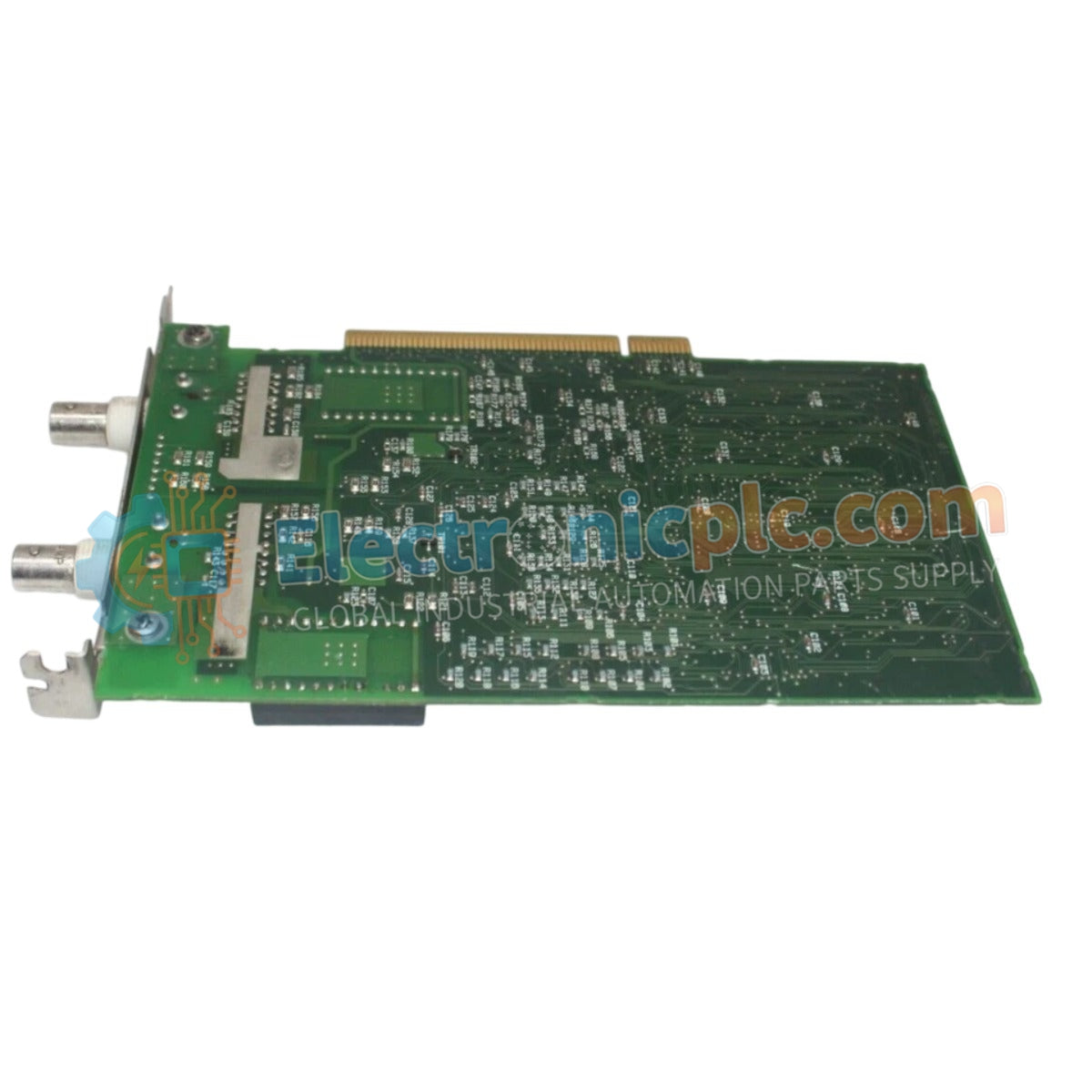
VF701 S2 Yokogawa Vnet/IP Interface Card | New & Original Stock

VF701 S2 Yokogawa Vnet/IP Interface Card | New & Original Stock

The Yokogawa VF701 S2 (VF701 S2 Vnet/IP Interface Card) serves as a critical communication gateway within Yokogawa CENTUM VP distributed control systems. This module is specifically engineered to provide a...

15 يشاهد الناس هذا الآن

التوافرالكمية المتبقية: 99

رمز المنتج: VF701-S2
بائع: Yokogawa
Related Series:

الشحن والإرجاع

توصيل موثوق به في جميع أنحاء العالم

  • شركات الشحن: يتم الشحن عبر DHL أو FedEx أو UPS أو USPS .
  • الشحن: تتم معالجة الطلبات خلال يوم عمل واحد إلى يومين، ويتم شحنها خلال 3 إلى 5 أيام عمل .
  • التتبع: يتم توفير تفاصيل التتبع الكاملة عبر البريد الإلكتروني عند الشحن.

ضمان استرداد الأموال خلال 30 يومًا

  • الضمان: فترة إرجاع لمدة 30 يومًا للمنتجات المتوفرة في المخزون والمغلفة من المصنع.
  • الشروط: يجب أن تكون المنتجات غير مفتوحة وغير مستخدمة وفي عبوتها الأصلية.
  • الأصالة: نضمن أن تكون الأجهزة أصلية 100% .

هل تحتاج إلى مزيد من التفاصيل؟ اقرأ سياسة الشحن وسياسة الاسترداد الكاملة.

الأصالة والضمان

  • ضمان أصلي: نحن نوفر فقط قطع غيار أصلية 100%، جديدة تمامًا، ومغلقة من المصنع .
  • تغطية كاملة: كل مكون مدعوم بضمان شامل لمدة 12 شهرًا من تاريخ الشراء.
  • إمكانية التتبع: جميع المنتجات تأتي مع وثائق المصنع الأصلية والملحقات اللازمة للامتثال الكامل للمعايير الصناعية.

الدعم الفني والتوريد

  • مساعدة الخبراء: يقدم فريقنا الفني استشارات مجانية لمساعدتك في التحقق من التوافق مع أنظمة DCS و PLC.
  • مصادر القطع النادرة: متخصصون في المكونات القديمة والتي يصعب العثور عليها من Allen-Bradley و Siemens و ABB و HIMA وغيرها.
  • للاستفسارات المتعلقة بالكميات الكبيرة: تواصلوا معنا على pambo@5gplc.com للحصول على أسعار الكميات الكبيرة أو عروض أسعار المشاريع المخصصة.
عرض تفاصيل المنتج الكاملة

The Yokogawa VF701 S2 (VF701 S2 Vnet/IP Interface Card) serves as a critical communication gateway within Yokogawa CENTUM VP distributed control systems. This module is specifically engineered to provide a robust, high-speed interface between the system's internal Vnet/IP control network and external field devices or auxiliary control stations.

Suffix Breakdown & Model Matrix

The VF701 S2 designation represents an evolved hardware iteration. The "S2" suffix denotes an upgraded internal processor and optimized buffer management logic, designed to handle higher data packet density and provide improved compatibility with the latest Vnet/IP firmware releases compared to the original VF701 series.

Hardware Specifications

Parameter Specification
Model VF701 S2
Brand Yokogawa
Origin Japan
Weight 0.67 kg
Dimensions 2.2 cm x 12.4 cm x 12.6 cm
Operating Temp 0 to 60 deg C
Power Consumption 5 W (nominal)
Interface Type Vnet/IP Ethernet

DCS Process Control Features

The VF701 S2 integrates into the DCS architecture to facilitate deterministic communication, which is essential for maintaining tight loop control across the plant floor. It employs advanced galvanic isolation to protect the control network from high-frequency electromagnetic interference (EMI) often present in industrial environments. By ensuring a stable, high-bandwidth handshake between the Field Control Unit (FCU) and the Vnet/IP backbone, the card minimizes communication jitter, ensuring that mission-critical data packets are delivered within their required timing windows.

Frequently Asked Questions

Q: Is the VF701 S2 fully compatible with existing Vnet/IP networks that use legacy VF701 cards?

A: In most CENTUM VP system designs, the S2 version is functionally interchangeable; however, ensure the system’s Network Management Software (NMS) and controller firmware are up to date to accommodate the updated hardware revision.

Q: Does this interface card support redundant network configurations?

A: Yes, the VF701 S2 is natively designed to operate within dual-redundant Vnet/IP network architectures to provide high-availability communication paths.

Field Installation Guidelines

  1. Power down the controller station or disable the Vnet/IP port via the engineering workstation before physically installing the card to prevent bus transient errors.
  2. Carefully align the card with the cabinet backplane guides; avoid applying excessive force, which could damage the high-density connectors.
  3. Secure the front-panel mounting screws to ensure the card's heat sink and shielding are effectively bonded to the cabinet’s ground bus.
  4. Utilize shielded Category 6A or higher Ethernet cabling for network connections; ensure the shield is terminated correctly at the patch panel to prevent ground loops.
  5. Post-installation, observe the front-panel status LEDs to confirm that the link is established and that the card has successfully completed its power-on self-test (POST).