انتقل إلى معلومات المنتج
1 ل 3

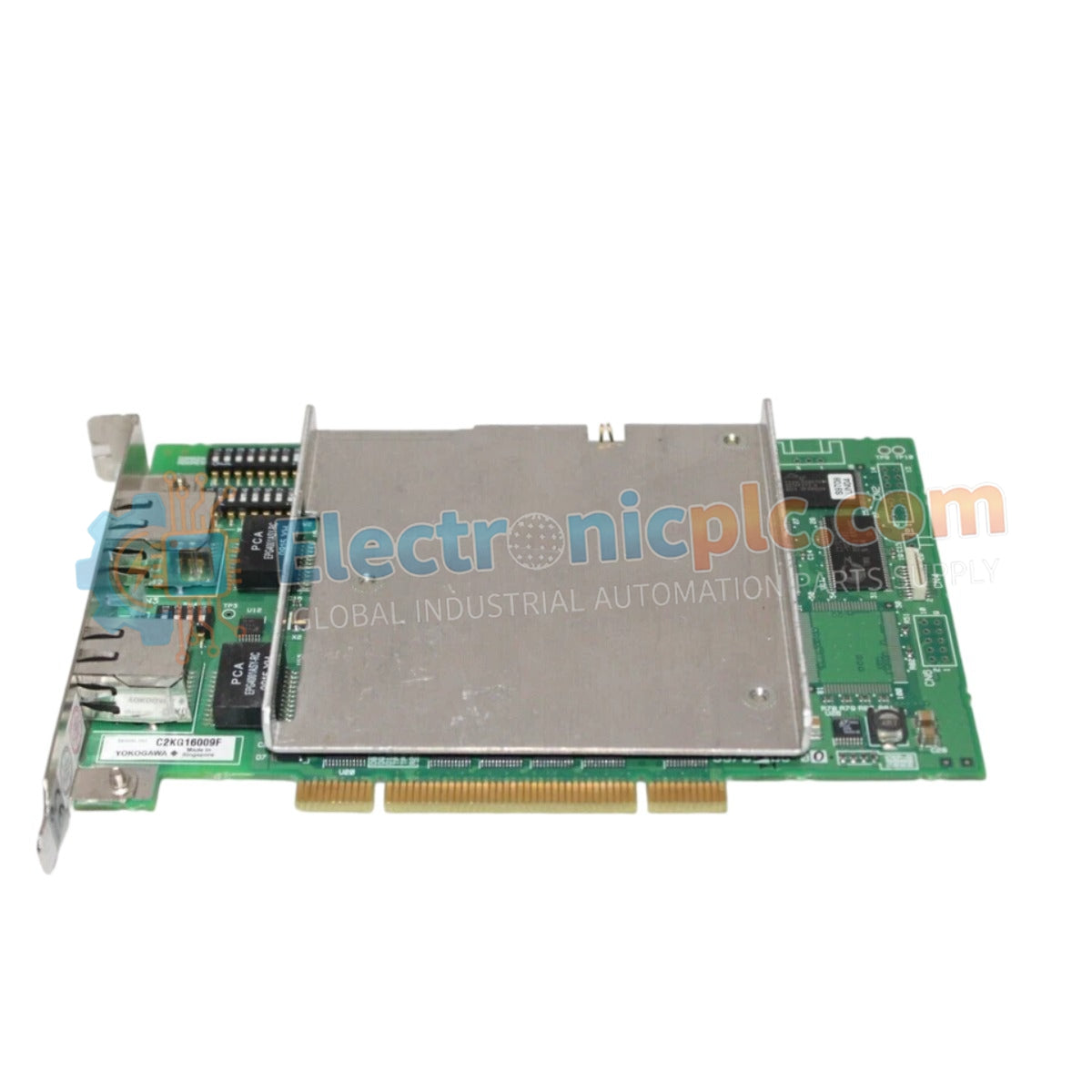
VI701 Yokogawa Interface Card New & Original Stock

VI701 Yokogawa Interface Card New & Original Stock

The Yokogawa VI701, also cataloged as the VI701 Interface Card, operates as a dedicated hardware component for facilitating data exchange and network communication within distributed control system platforms. This card...

29 يشاهد الناس هذا الآن

التوافرالكمية المتبقية: 99

رمز المنتج: VI701
بائع: Yokogawa
فئة: Interface Card
Related Series:

الشحن والإرجاع

توصيل موثوق به في جميع أنحاء العالم

  • شركات الشحن: يتم الشحن عبر DHL أو FedEx أو UPS أو USPS .
  • الشحن: تتم معالجة الطلبات خلال يوم عمل واحد إلى يومين، ويتم شحنها خلال 3 إلى 5 أيام عمل .
  • التتبع: يتم توفير تفاصيل التتبع الكاملة عبر البريد الإلكتروني عند الشحن.

ضمان استرداد الأموال خلال 30 يومًا

  • الضمان: فترة إرجاع لمدة 30 يومًا للمنتجات المتوفرة في المخزون والمغلفة من المصنع.
  • الشروط: يجب أن تكون المنتجات غير مفتوحة وغير مستخدمة وفي عبوتها الأصلية.
  • الأصالة: نضمن أن تكون الأجهزة أصلية 100% .

هل تحتاج إلى مزيد من التفاصيل؟ اقرأ سياسة الشحن وسياسة الاسترداد الكاملة.

الأصالة والضمان

  • ضمان أصلي: نحن نوفر فقط قطع غيار أصلية 100%، جديدة تمامًا، ومغلقة من المصنع .
  • تغطية كاملة: كل مكون مدعوم بضمان شامل لمدة 12 شهرًا من تاريخ الشراء.
  • إمكانية التتبع: جميع المنتجات تأتي مع وثائق المصنع الأصلية والملحقات اللازمة للامتثال الكامل للمعايير الصناعية.

الدعم الفني والتوريد

  • مساعدة الخبراء: يقدم فريقنا الفني استشارات مجانية لمساعدتك في التحقق من التوافق مع أنظمة DCS و PLC.
  • مصادر القطع النادرة: متخصصون في المكونات القديمة والتي يصعب العثور عليها من Allen-Bradley و Siemens و ABB و HIMA وغيرها.
  • للاستفسارات المتعلقة بالكميات الكبيرة: تواصلوا معنا على pambo@5gplc.com للحصول على أسعار الكميات الكبيرة أو عروض أسعار المشاريع المخصصة.
عرض تفاصيل المنتج الكاملة

The Yokogawa VI701, also cataloged as the VI701 Interface Card, operates as a dedicated hardware component for facilitating data exchange and network communication within distributed control system platforms. This card serves as the primary communication interface utilized to execute signal routing and data synchronization across Yokogawa CENTUM network platforms.

Hardware Specifications

Parameter Specification
Model VI701
Brand Yokogawa
Origin Japan
Weight 0.18 kg
Dimensions 2.2 cm x 18.1 cm x 12.7 cm
Operating Temp 0 to 60 deg C
Power Consumption 3 W (nominal)
Interface Type System Communication Bus

DCS Process Control Features

The VI701 integrates into the DCS architecture to support robust channel-to-channel isolation, ensuring that electrical noise from connected communication loops does not compromise the integrity of the internal system backplane. This module is engineered to handle I/O density scaling requirements while maintaining deterministic communication latency. Its firmware supports flash compatibility, allowing for updates to internal protocols and ensuring reliable data exchange rates across high-speed control networks.

Frequently Asked Questions

Q: Does the VI701 support hot-swapping during active system operation?

A: No, the system power must be isolated or the specific slot disabled in the configuration software before the card is unseated to prevent corruption of the communication bus.

Q: Is this card compatible with firmware updates for enhanced protocol support?

A: Yes, the card supports firmware flash compatibility, allowing for system-authorized updates to align with current communication requirements.

Field Installation Guidelines

  1. Ensure the control cabinet atmosphere is non-corrosive and free from conductive dust to prevent short circuits on the interface card circuitry.
  2. Insert the card into the designated communication slot with steady pressure until the locking mechanisms engage, ensuring a secure backplane connection.
  3. Verify that all external communication cabling is shielded and properly grounded at the cabinet entry point to mitigate common-mode noise.
  4. Confirm that the interface cable is securely fastened to the front connector to maintain signal continuity under industrial vibration profiles.
  5. Check that the card configuration matches the controller project file addressing to ensure successful network handshake upon startup.