انتقل إلى معلومات المنتج
1 ل 2

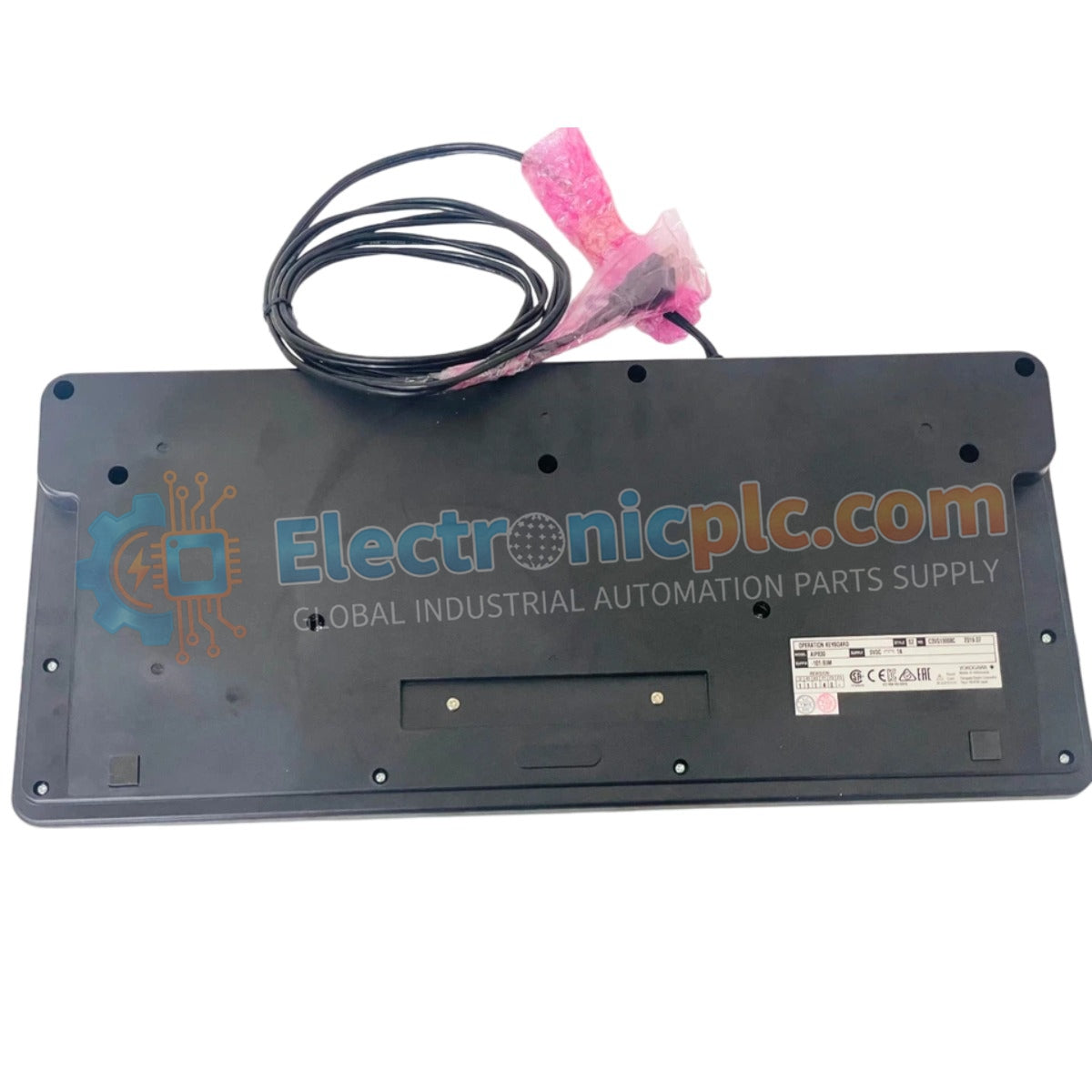
Yokogawa AIP830-001/EIM Operation Keyboard

Yokogawa AIP830-001/EIM Operation Keyboard

Configured for human-machine interface (HMI) interaction in process control environments, the Yokogawa AIP830-001/EIM (AIP830-001 Operation Keyboard) provides direct physical input execution for system monitoring and operator command sequences.

Suffix Breakdown...

20 يشاهد الناس هذا الآن

التوافرفي الأوراق المالية

رمز المنتج: AIP830-001/EIM
بائع: Yokogawa
Related Series:

الشحن والإرجاع

توصيل موثوق به في جميع أنحاء العالم

  • شركات الشحن: يتم الشحن عبر DHL أو FedEx أو UPS أو USPS .
  • الشحن: تتم معالجة الطلبات خلال يوم عمل واحد إلى يومين، ويتم شحنها خلال 3 إلى 5 أيام عمل .
  • التتبع: يتم توفير تفاصيل التتبع الكاملة عبر البريد الإلكتروني عند الشحن.

ضمان استرداد الأموال خلال 30 يومًا

  • الضمان: فترة إرجاع لمدة 30 يومًا للمنتجات المتوفرة في المخزون والمغلفة من المصنع.
  • الشروط: يجب أن تكون المنتجات غير مفتوحة وغير مستخدمة وفي عبوتها الأصلية.
  • الأصالة: نضمن أن تكون الأجهزة أصلية 100% .

هل تحتاج إلى مزيد من التفاصيل؟ اقرأ سياسة الشحن وسياسة الاسترداد الكاملة.

الأصالة والضمان

  • ضمان أصلي: نحن نوفر فقط قطع غيار أصلية 100%، جديدة تمامًا، ومغلقة من المصنع .
  • تغطية كاملة: كل مكون مدعوم بضمان شامل لمدة 12 شهرًا من تاريخ الشراء.
  • إمكانية التتبع: جميع المنتجات تأتي مع وثائق المصنع الأصلية والملحقات اللازمة للامتثال الكامل للمعايير الصناعية.

الدعم الفني والتوريد

  • مساعدة الخبراء: يقدم فريقنا الفني استشارات مجانية لمساعدتك في التحقق من التوافق مع أنظمة DCS و PLC.
  • مصادر القطع النادرة: متخصصون في المكونات القديمة والتي يصعب العثور عليها من Allen-Bradley و Siemens و ABB و HIMA وغيرها.
  • للاستفسارات المتعلقة بالكميات الكبيرة: تواصلوا معنا على pambo@5gplc.com للحصول على أسعار الكميات الكبيرة أو عروض أسعار المشاريع المخصصة.
عرض تفاصيل المنتج الكاملة

Configured for human-machine interface (HMI) interaction in process control environments, the Yokogawa AIP830-001/EIM (AIP830-001 Operation Keyboard) provides direct physical input execution for system monitoring and operator command sequences.

Suffix Breakdown & Model Matrix

Suffix Code Specification Description
AIP830-001 Base operation keyboard model
/EIM Enhanced interface and module integration variant

Hardware Specifications

Parameter Specification
Model AIP830-001/EIM
Brand Yokogawa
Origin Japan
Weight 2.0 kg
Dimensions Standard HMI console footprint
Operating Temp 5 deg C to 40 deg C
Input Voltage 5 V (+/- 5%) via USB
Max Current 1 A
Interface USB 2.0 (Bus-powered)

HMI Interaction and USB Connectivity

The AIP830-001/EIM serves as a dedicated tactile interface for DCS and SCADA console operators. The unit utilizes a USB 2.0 full-speed interface, drawing power directly from the host computer’s bus to minimize external cabling requirements. In addition to standard command inputs, the keyboard integrates a USB 1.1 compliant sound function, enabling local audio feedback for process alarms and system events. The chassis is finished in a Munsell No. N1.5 equivalent black coating, designed to reduce glare and optimize ergonomics within high-intensity control room environments.

Frequently Asked Questions

Q: Can the keyboard be connected to a USB hub?

A: The AIP830-001/EIM requires a stable 1 A power draw. It is recommended to connect the unit directly to the workstation's dedicated USB port to ensure sufficient power delivery and minimize potential bus-powered latency or connection drops.

Q: Are specific drivers required for the sound function?

A: The device utilizes standard USB HID and audio class drivers. Most modern industrial operating systems will recognize the interface automatically; however, ensure the HMI software is configured to route system alerts to the keyboard's audio output if local notification is required.

Field Installation Guidelines

  • Position the keyboard on a flat, vibration-dampened surface to ensure operator comfort and device stability during high-frequency input tasks.
  • Route the USB cable away from sources of high-frequency electromagnetic interference (EMI), such as power converters or heavy motor controllers, to prevent data communication interrupts.
  • Ensure the workstation USB port is securely fixed; frequent mechanical strain on the port can lead to intermittent power delivery or connection loss, which may trigger system-wide HMI communication alarms.
  • Maintain the operating environment between 5 deg C and 40 deg C; exceeding this range may impact the tactile response of the keys and the long-term reliability of the internal audio circuitry.
  • If the keyboard is used in an environment with high dust or moisture content, utilize a console cover to protect the key switches from ingress.