انتقل إلى معلومات المنتج
1 ل 3

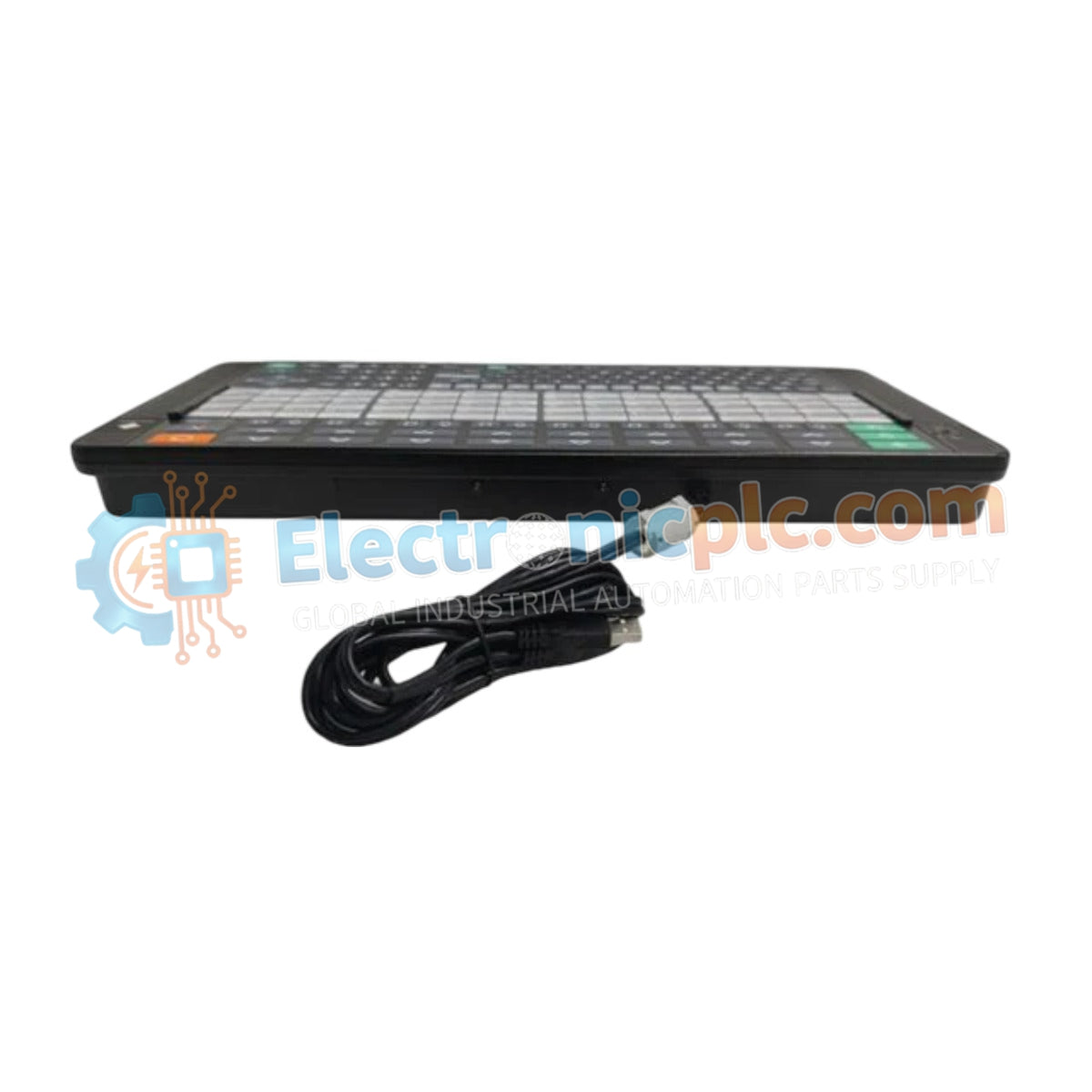
YOKOGAWA AIP831-101/EIM Operation Keyboard

YOKOGAWA AIP831-101/EIM Operation Keyboard

The YOKOGAWA AIP831-101, also cataloged as the AIP831-101 Operation Keyboard, operates as a dedicated hardware component for simultaneous multi-loop process control within CENTUM VP Human Interface System platforms.

Hardware Specifications

...
29 يشاهد الناس هذا الآن

التوافرالكمية المتبقية: 99

رمز المنتج: AIP831-101/EIM
بائع: Yokogawa
Related Series:

الشحن والإرجاع

توصيل موثوق به في جميع أنحاء العالم

  • شركات الشحن: يتم الشحن عبر DHL أو FedEx أو UPS أو USPS .
  • الشحن: تتم معالجة الطلبات خلال يوم عمل واحد إلى يومين، ويتم شحنها خلال 3 إلى 5 أيام عمل .
  • التتبع: يتم توفير تفاصيل التتبع الكاملة عبر البريد الإلكتروني عند الشحن.

ضمان استرداد الأموال خلال 30 يومًا

  • الضمان: فترة إرجاع لمدة 30 يومًا للمنتجات المتوفرة في المخزون والمغلفة من المصنع.
  • الشروط: يجب أن تكون المنتجات غير مفتوحة وغير مستخدمة وفي عبوتها الأصلية.
  • الأصالة: نضمن أن تكون الأجهزة أصلية 100% .

هل تحتاج إلى مزيد من التفاصيل؟ اقرأ سياسة الشحن وسياسة الاسترداد الكاملة.

الأصالة والضمان

  • ضمان أصلي: نحن نوفر فقط قطع غيار أصلية 100%، جديدة تمامًا، ومغلقة من المصنع .
  • تغطية كاملة: كل مكون مدعوم بضمان شامل لمدة 12 شهرًا من تاريخ الشراء.
  • إمكانية التتبع: جميع المنتجات تأتي مع وثائق المصنع الأصلية والملحقات اللازمة للامتثال الكامل للمعايير الصناعية.

الدعم الفني والتوريد

  • مساعدة الخبراء: يقدم فريقنا الفني استشارات مجانية لمساعدتك في التحقق من التوافق مع أنظمة DCS و PLC.
  • مصادر القطع النادرة: متخصصون في المكونات القديمة والتي يصعب العثور عليها من Allen-Bradley و Siemens و ABB و HIMA وغيرها.
  • للاستفسارات المتعلقة بالكميات الكبيرة: تواصلوا معنا على pambo@5gplc.com للحصول على أسعار الكميات الكبيرة أو عروض أسعار المشاريع المخصصة.
عرض تفاصيل المنتج الكاملة

The YOKOGAWA AIP831-101, also cataloged as the AIP831-101 Operation Keyboard, operates as a dedicated hardware component for simultaneous multi-loop process control within CENTUM VP Human Interface System platforms.

Hardware Specifications

Parameter Specification
Model AIP831-101
Brand YOKOGAWA
Origin Japan
Weight 2.0 kg
Dimensions Standard desktop form factor
Operating Temp 5 deg C to 40 deg C
Power Consumption 1 A (Max)
Operating Voltage 5 VDC +/- 5% (via USB)
Interface 2 x USB A type (USB 2.0/1.1)
Chassis Color Black (Munsell No. N1.5)

HART Loop and DCS Connectivity Protocols

The AIP831-101 integrates directly with the CENTUM VP environment to facilitate streamlined process control via specialized touch sensor arrays. The device maintains signal integrity by utilizing a dedicated USB 2.0 interface for operational commands and a secondary USB 1.1 channel for auditory alarm feedback. To ensure robust performance within the DCS environment, the keyboard supports instrument faceplate highlighting functions, requiring consistent 5 VDC power delivery via the host USB port to maintain sub-millisecond response latency during operator-to-system interaction.

Frequently Asked Questions

Q: Does the touch sensor interface support operation while the user is wearing protective industrial gloves?

A: No, the touch sensor technology utilized in the AIP831-101 is calibrated exclusively for tactile detection by bare hands.

Q: Is the USB speaker assembly capable of being driven by external audio sources outside of the CENTUM VP alarm system?

A: The sound function is hardware-restricted to alarm buzzer notifications generated by the connected Human Interface System to prevent audio signal interference with process alerts.

Q: Can the keyboard be powered by an external power supply instead of the host USB port?

A: No, the device is designed to draw power exclusively from the host USB port; exceeding the specified 5 VDC +/- 5% range may result in internal controller failure.

Field Installation Guidelines

  1. Environmental Positioning: Ensure the installation surface is leveled and the ambient temperature remains within the 5 deg C to 40 deg C range to prevent sensor drift.
  2. Mounting Requirements: Utilize the integrated VESA bracket interface if elevated mounting is required. Ensure all mounting screws are tightened to meet chassis stability standards.
  3. Cable Management: Connect the USB leads directly to the designated HIS terminal ports. Avoid exceeding the maximum USB cable length specifications to prevent data latency or intermittent power supply drops.
  4. Earthing and Shielding: While the device is classified as Class I per IEC 61010-1, ensure the HIS terminal workstation is properly grounded to eliminate electrostatic discharge (ESD) risks that could affect the capacitive touch sensors.