
سلة التسوق الخاصة بي
0 عنصرًا
قطع غيار أصلية للأتمتة | توصيل سريع عالمي | ضمان لمدة 12 شهرًا — [احصل على عرض سعر]

يمثل YOKOGAWA SNB10D-225/CU2N تجميع وحدة PLC شامل مصمم لتطبيقات التحكم الصناعي عالية التوافر. تتضمن هذه المجموعة الكاملة وحدة المنطق الأساسية ومكونات الواجهة المحددة المطلوبة للتكامل السلس في بنى التحكم من نوع CENTUM...
التوافر: في الأوراق المالية
توصيل موثوق به في جميع أنحاء العالم
ضمان استرداد الأموال خلال 30 يومًا
هل تحتاج إلى مزيد من التفاصيل؟ اقرأ سياسة الشحن وسياسة الاسترداد الكاملة.


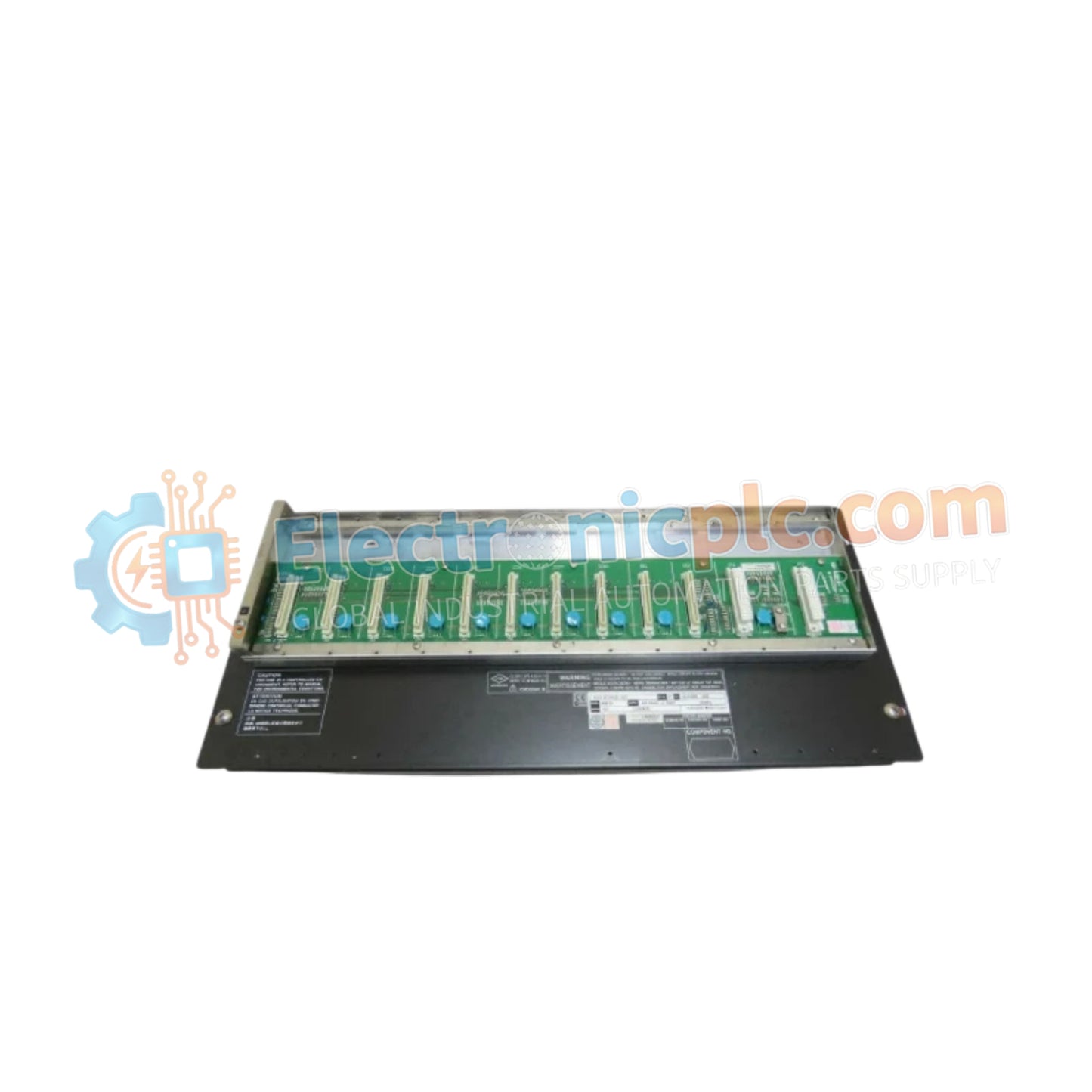
يمثل YOKOGAWA SNB10D-225/CU2N تجميع وحدة PLC شامل مصمم لتطبيقات التحكم الصناعي عالية التوافر. تتضمن هذه المجموعة الكاملة وحدة المنطق الأساسية ومكونات الواجهة المحددة المطلوبة للتكامل السلس في بنى التحكم من نوع CENTUM و FA-M3. وقد تم تصميمها لتوفير معالجة قوية للإشارة واتصالات موثوقة ضمن بيئات الأتمتة المعقدة.
SNB10D: تسمية الطراز الأساسي لوحدة معالجة الإدخال/الإخراج أو الاتصال عالية الكثافة.
225: يحدد المراجعة الفنية وتكوين الأجهزة لتوافق اللوحة الخلفية.
CU2N: يشير إلى ترتيب الواجهة والموصل الطرفي المحدد للمجموعة.
| المعلمة | المواصفات |
| النموذج | SNB10D-225/CU2N |
| العلامة التجارية | YOKOGAWA |
| المنشأ | اليابان |
| نوع التجميع | مجموعة وحدة PLC كاملة |
| درجة حرارة التشغيل | المعيار الصناعي |
| الاتصال | واجهة ناقل مدمجة |
| التركيب | تثبيت في خزانة/رف |
تم تصميم SNB10D-225/CU2N للعمل كعقدة مركزية في شبكات التحكم الموزعة. من خلال توفير طاقة معالجة متكاملة، فإنه يقلل من زمن الانتقال بين مدخلات مستشعر المجال وتنفيذ منطق التحكم. تضمن بنية الأجهزة أداءً حتميًا، وهو أمر حيوي للحفاظ على الاستقرار في التطبيقات الحرجة للعمليات. يحمي التصميم القوي للوحدة المنطق الداخلي من الاضطرابات الكهربائية الصناعية الشائعة.
س: هل تعني تسمية "مجموعة كاملة" أنها تتضمن موصل اللوحة الخلفية وكتلة الأطراف؟
ج: نعم، تتضمن "مجموعة كاملة" لهذه السلسلة عادةً الوحدة الأساسية، ووحدة الواجهة الطرفية الضرورية، وأحيانًا الغلاف الواقي أو أجهزة التركيب المطلوبة للتركيب الفوري.
س: هل هذه الوحدة متوافقة مع جميع رفوف FA-M3؟
ج: يعتمد التوافق على مراجعة الوحدة الأساسية المحددة. تحقق دائمًا من رقم جزء الوحدة مقابل مصفوفة التوافق للرف الحالي لديك لضمان التوصيل الكهربائي والملاءمة الميكانيكية الصحيحة.
السلامة أولاً: تأكد من فصل التيار الكهربائي عن الرف تمامًا قبل إزالة أو تركيب مجموعة الوحدة لمنع تلف اللوحة الخلفية.
محاذاة اللوحة الخلفية: ادفع الوحدة برفق في فتحة الرف. استخدم أذرع القفل المدمجة بالوحدة للتأكد من أنها مثبتة بالكامل وموصلة بإحكام بدبابيس اتصال اللوحة الخلفية.
توصيل الأسلاك الطرفية: عند توصيل واجهة CU2N، استخدم كابلات مجدولة محمية لجميع الإشارات للحفاظ على التوافق الكهرومغناطيسي (EMC).
فحص التكوين: بعد التركيب، استخدم برنامج Yokogawa الهندسي المناسب للتحقق من التعرف على الوحدة وتعيين جميع قنوات الإدخال/الإخراج بشكل صحيح لوحدة المعالجة المركزية للمتحكم.
الصيانة البيئية: حافظ على بيئة الخزانة خالية من الغبار والتكثف لضمان موثوقية المكونات الإلكترونية الداخلية الحساسة للوحدة على المدى الطويل.


