
Carrito
0 artículos
¿Tienes una cuenta?
Inicia sesión para finalizar tus compras con mayor rapidez.
Repuestos originales de automatización | Envío exprés a todo el mundo | Garantía de 12 meses — [Solicite presupuesto]

Configurado para una gestión de procesos de alta eficiencia en los Sistemas de Interfaz Humana (HIS) tipo escritorio CENTUM VP, el YOKOGAWA AIP831-101/VESA/EIM (Teclado plano AIP831) proporciona una ejecución eléctrica...
Disponibilidad: En existencias
Entrega confiable a nivel mundial
Garantía de devolución de dinero de 30 días
¿Necesitas más información? Consulta nuestra Política de envíos y reembolsos completa.


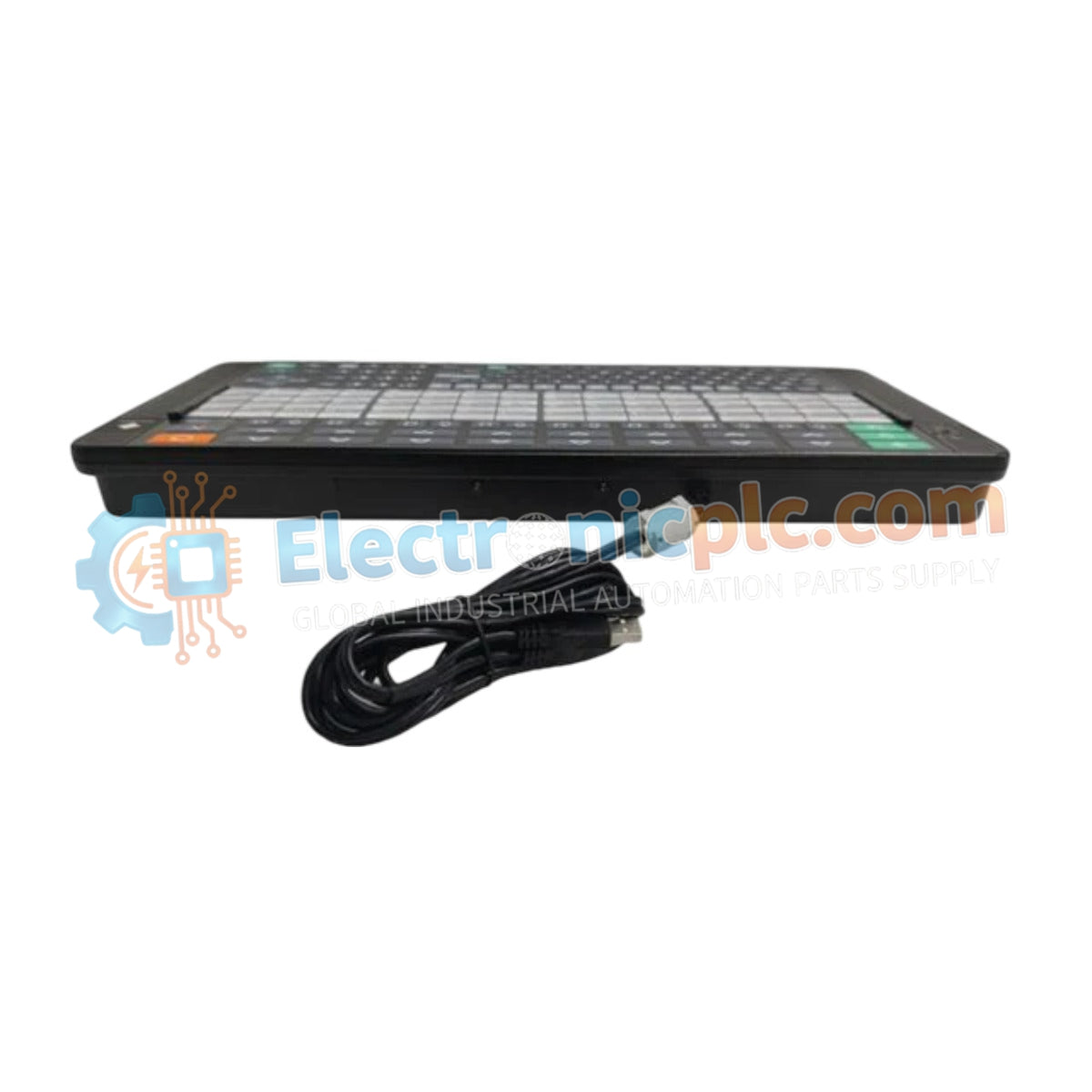
Configurado para una gestión de procesos de alta eficiencia en los Sistemas de Interfaz Humana (HIS) tipo escritorio CENTUM VP, el YOKOGAWA AIP831-101/VESA/EIM (Teclado plano AIP831) proporciona una ejecución eléctrica directa de los comandos de control HMI. El dispositivo utiliza sensores táctiles integrados y señalización de audio para facilitar el control simultáneo de hasta ocho bucles de proceso, agilizando la interacción del operador con la arquitectura de control distribuido.
| Parámetro | Especificación |
|---|---|
| Modelo | AIP831-101/VESA/EIM |
| Marca | YOKOGAWA |
| Origen | Japón |
| Peso | 2.0 kg |
| Dimensiones | Huella HIS de escritorio estándar |
| Temperatura de funcionamiento | 5 a 40 grados C |
| Consumo de energía | 5 VCC (vía USB), 1 A (máx.) |
| Interfaz | 2 x USB (2.0 para operación, 1.1 para audio) |
| Audio | Altavoz USB integrado |
El AIP831-101/VESA/EIM está diseñado para optimizar los tiempos de respuesta del operador mediante la detección táctil y la retroalimentación de audio localizada. La matriz de sensores táctiles admite funciones de "resaltado de la carátula del instrumento", lo que permite a los operadores aislar y ajustar rápidamente bucles de control específicos sin navegar por complejos menús gráficos. El zumbador electrónico integrado, accionado a través de un canal USB 1.1 dedicado, garantiza que las alarmas de proceso críticas sean audibles incluso en entornos de sala de control con mucho ruido ambiental. El chasis del teclado tiene un acabado en negro Munsell No. N1.5 para minimizar el resplandor y el reflejo, lo que favorece la concentración del operador a largo plazo.
P: ¿Se puede conectar el teclado a un sistema informático HIS que no sea CENTUM?
R: El AIP831 está específicamente optimizado para el hardware HIS de escritorio Yokogawa CENTUM VP. Si bien utiliza conectores de interfaz USB estándar, la funcionalidad completa, incluido el resaltado de la carátula del instrumento y el zumbador de alarma integrado, depende del entorno de controladores HIS patentado de Yokogawa.
P: ¿Cómo se calibra el sensor táctil para su uso?
R: El sensor está diseñado para su uso directo con las manos desnudas. Evite el uso de guantes, ya que la tecnología de detección capacitiva puede no detectar las entradas; se requiere una limpieza periódica con un paño seco y antiestático para mantener la sensibilidad del sensor.


