Skip to product information
1 of 3

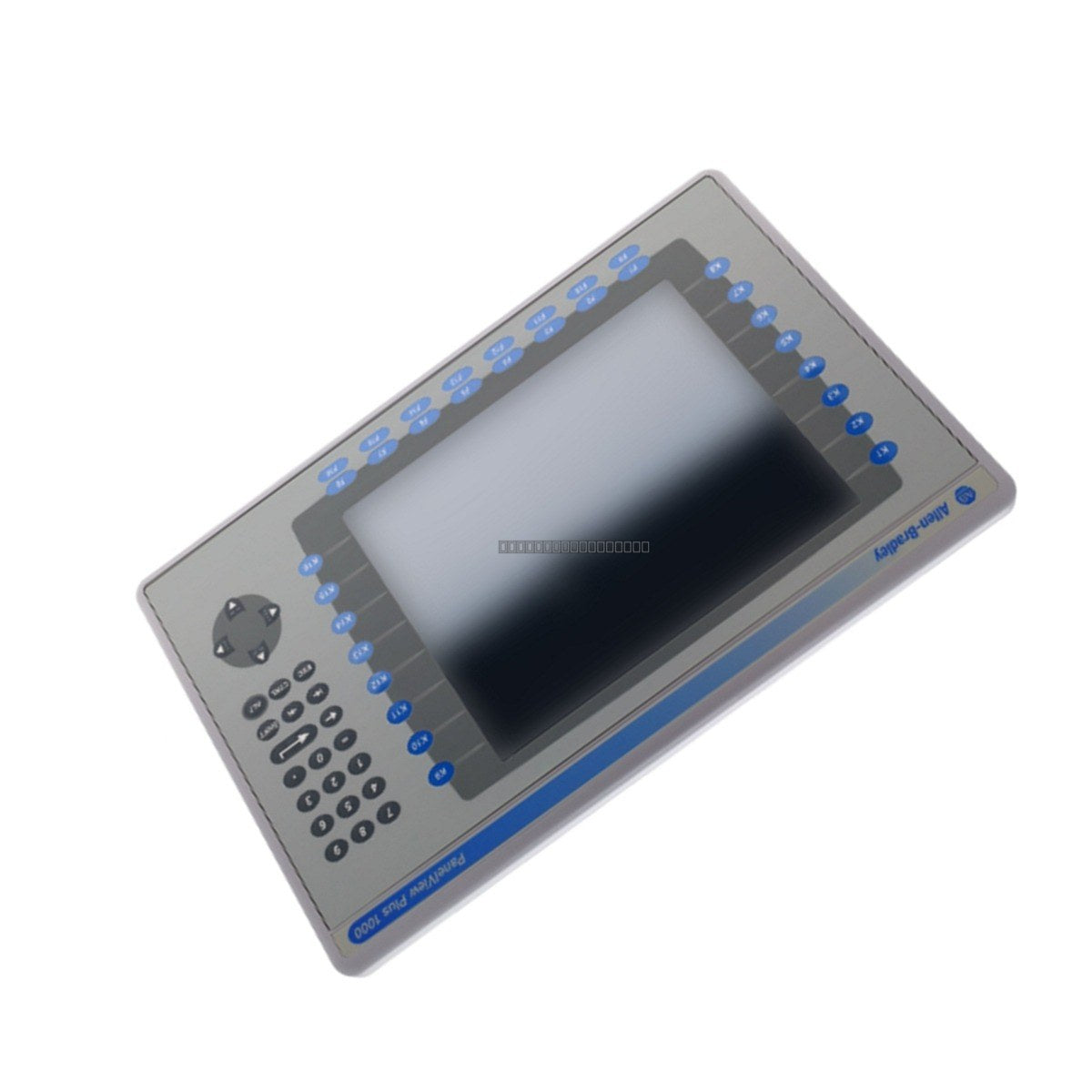
Allen-Bradley 2711P-B12C4A7 PanelView Plus 1250 Operator Terminal

Allen-Bradley 2711P-B12C4A7 PanelView Plus 1250 Operator Terminal

The Allen-Bradley 2711P-B12C4A7 operator interface terminal functions as a robust data visualization and control hub for industrial automation environments. Designed for seamless integration into manufacturing lines, automotive assembly, and material...

22 people are viewing this right now

AvailabilityLow stock: 9 left

SKU: 2711P-B12C4A7
Vendor: Allen-Bradley

Shipping & Returns

Reliable Worldwide Delivery

  • Carriers: Shipped via DHL, FedEx, UPS, or USPS.
  • Dispatch: Orders processed in 1-2 business days and dispatched within 3-5 business days.
  • Tracking: Full tracking details provided via email upon shipment.

30-Day Money-Back Guarantee

  • Guarantee: 30-day return window for in-stock, factory-sealed products.
  • Condition: Items must be unopened, unused, and in original packaging.
  • Authenticity: We guarantee 100% original and authentic hardware.

Need more details? Read our fullShipping PolicyandRefund Policy.

Authenticity & Warranty

  • Genuine Guarantee: We supply only 100% original, brand-new, and factory-sealed industrial automation parts.
  • Full Coverage: Every component is backed by a 12-month comprehensive warranty from the date of purchase.
  • Traceability: All products come with original factory documentation and accessories for full industrial compliance.

Technical Support & Sourcing

  • Expert Assistance: Our technical team provides free consultation to help you verify compatibility for DCS and PLC systems.
  • Rare Part Sourcing: Specializing in obsolete and hard-to-find components from Allen-Bradley, Siemens, ABB, HIMA, and more.
  • Bulk Inquiries: Contact us at pambo@5gplc.com for volume pricing or customized project quotes.
View full product details

The Allen-Bradley 2711P-B12C4A7 operator interface terminal functions as a robust data visualization and control hub for industrial automation environments. Designed for seamless integration into manufacturing lines, automotive assembly, and material handling systems, this unit provides real-time monitoring and precise command execution. Its dual-input design ensures reliable operation in demanding conditions, helping to maintain system availability and minimize downtime.

Features

  • Dual-input interface featuring both an analog resistive touchscreen and a 30-key tactile keypad for glove-safe operation.
  • 12.1-inch color TFT active matrix display providing clear, high-resolution visual feedback.
  • Integrated 256 MB memory capacity for application storage and dynamic data logging.
  • Versatile communication suite including Ethernet (RJ45) and RS-232 serial ports for PLC and supervisory network connectivity.
  • Dual USB ports for peripheral support and data transfer.
  • Internal AC power supply designed to handle wide-range input voltages, ensuring stability during grid fluctuations.

Applications

This terminal is suitable for a wide range of industrial applications, including:

  • Automated assembly and manufacturing lines.
  • Material handling and logistics control systems.
  • Supervisory control and data acquisition (SCADA) interfaces.
  • Human-Machine Interface (HMI) nodes for programmable logic controllers (PLCs).

Technical Specifications

Model 2711P-B12C4A7
Brand Allen-Bradley
Display Size 12.1 inches
Display Type Color TFT Active Matrix
Input Method Touchscreen and 30-key Keypad
Memory 256 MB RAM
Communication Ethernet, RS-232, 2 x USB
Power Input 85-264 VAC, 50-60 Hz
Operating Temperature 0 to 55 deg C
Storage Temperature -25 to 70 deg C
Humidity 5 to 95% non-condensing

Installation Guidelines

  • Ensure the panel cutout is prepared according to manufacturer specifications to maintain the NEMA/IP rating of the enclosure.
  • Mount the terminal in a location with adequate ventilation to maintain operating temperatures within the 0 to 55 deg C range.
  • Use shielded communication cables and ensure proper grounding of the chassis to minimize electromagnetic interference (EMI).
  • Verify that the AC power source is stable and within the 85-264 VAC range before connecting.
  • Always power down the unit before performing any maintenance or cable connections to prevent electrical damage.
  • Handle the touchscreen with care; avoid using sharp objects that may damage the resistive overlay.