Skip to product information
1 of 3

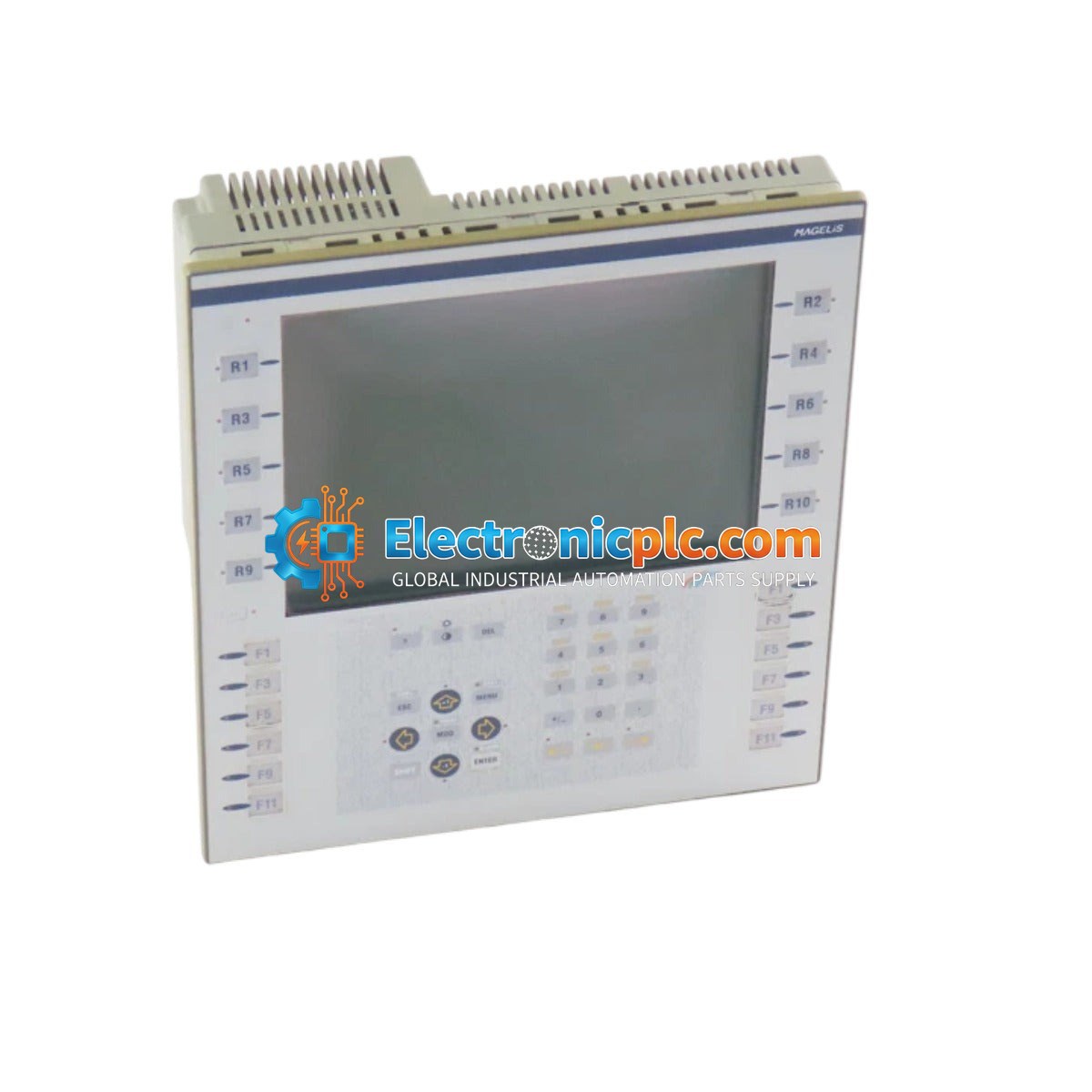
Schneider Electric XBT F024110 Operator Interface Panel

Schneider Electric XBT F024110 Operator Interface Panel

Description

The Schneider Electric XBT F024110 is an operator interface panel designed for industrial automation environments. This terminal serves as a human-machine interface (HMI), allowing operators to monitor system processes, adjust...

26 people are viewing this right now

AvailabilityLow stock: 10 left

SKU: XBT F024110
Vendor: Schneider

Shipping & Returns

Reliable Worldwide Delivery

  • Carriers: Shipped via DHL, FedEx, UPS, or USPS.
  • Dispatch: Orders processed in 1-2 business days and dispatched within 3-5 business days.
  • Tracking: Full tracking details provided via email upon shipment.

30-Day Money-Back Guarantee

  • Guarantee: 30-day return window for in-stock, factory-sealed products.
  • Condition: Items must be unopened, unused, and in original packaging.
  • Authenticity: We guarantee 100% original and authentic hardware.

Need more details? Read our fullShipping PolicyandRefund Policy.

Authenticity & Warranty

  • Genuine Guarantee: We supply only 100% original, brand-new, and factory-sealed industrial automation parts.
  • Full Coverage: Every component is backed by a 12-month comprehensive warranty from the date of purchase.
  • Traceability: All products come with original factory documentation and accessories for full industrial compliance.

Technical Support & Sourcing

  • Expert Assistance: Our technical team provides free consultation to help you verify compatibility for DCS and PLC systems.
  • Rare Part Sourcing: Specializing in obsolete and hard-to-find components from Allen-Bradley, Siemens, ABB, HIMA, and more.
  • Bulk Inquiries: Contact us at pambo@5gplc.com for volume pricing or customized project quotes.
View full product details

Description

The Schneider Electric XBT F024110 is an operator interface panel designed for industrial automation environments. This terminal serves as a human-machine interface (HMI), allowing operators to monitor system processes, adjust parameters, and interact with connected programmable logic controllers (PLCs) or other control equipment. It is engineered for reliability in demanding industrial settings, providing clear visual feedback and input capabilities for machine control and data acquisition.

Features

  • Robust design suitable for industrial panel mounting.
  • Clear interface for real-time process monitoring and control.
  • Compatible with Schneider Electric automation ecosystems.
  • Reliable communication for efficient operator-to-machine interaction.

Applications

This operator interface panel is typically utilized in manufacturing, process control, and infrastructure automation. It is commonly deployed in applications such as machine tool control, assembly line monitoring, and general industrial automation systems where local operator intervention is required.

Technical Specifications

Product Model XBT F024110
Manufacturer Schneider Electric
Product Type Operator Interface Panel
Weight 2.7 kg

Installation Guidelines

  • Ensure the panel cutout dimensions are verified against the official installation manual before mounting.
  • Mount the unit in a clean, dry environment protected from excessive dust, moisture, and vibration.
  • Maintain adequate clearance around the unit to ensure proper ventilation and prevent overheating.
  • Use shielded communication cables to minimize electromagnetic interference (EMI) from high-voltage equipment.
  • Always disconnect power before performing any wiring or maintenance on the interface panel.
  • Ensure the unit is properly grounded according to local electrical codes to prevent electrical noise and potential damage.

FAQ

What is the primary function of the XBT F024110?

The XBT F024110 acts as an HMI (Human-Machine Interface), enabling operators to communicate with, monitor, and control industrial automation equipment.

Is this unit suitable for harsh environments?

While designed for industrial use, it should be installed within an appropriate enclosure (such as an IP-rated cabinet) if the environment contains high levels of dust, moisture, or corrosive gases.

What should I do if the screen becomes unresponsive?

First, verify the power supply connections and ensure the unit is receiving the correct voltage. If the issue persists, check the communication cables for damage or loose connections before contacting technical support.