
My Cart
0 items
Genuine Automation Parts | Worldwide Express Delivery | 12-Month Warranty — [GET A QUOTE]

The Yokogawa VF701 and its advanced revision, the VF701 S3, are high-performance communication interface cards designed specifically for the Vnet/IP control network within CENTUM VP distributed control systems. These modules...
Availability: Low stock: 99 left
Reliable Worldwide Delivery
30-Day Money-Back Guarantee
Need more details? Read our fullShipping PolicyandRefund Policy.


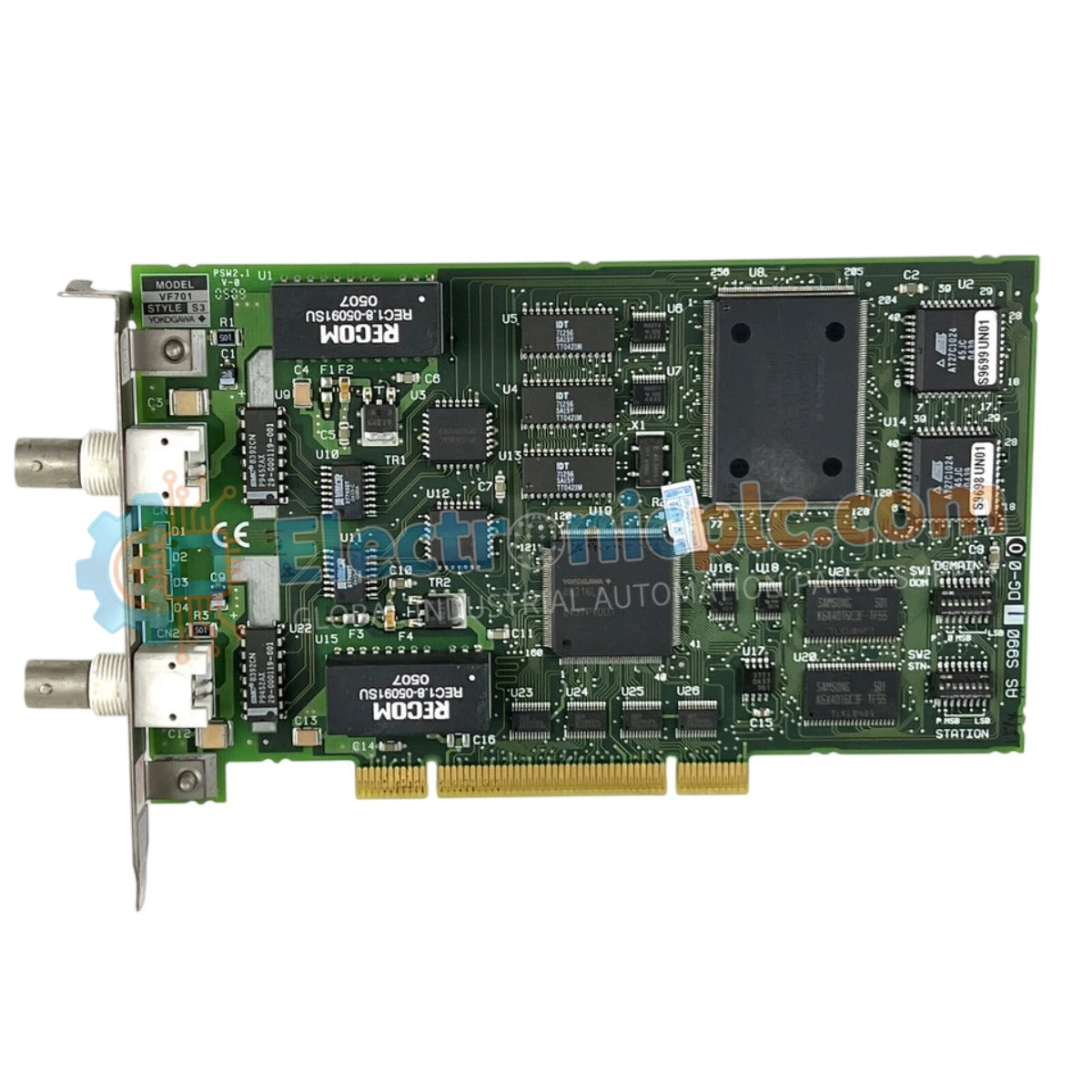
The Yokogawa VF701 and its advanced revision, the VF701 S3, are high-performance communication interface cards designed specifically for the Vnet/IP control network within CENTUM VP distributed control systems. These modules serve as the essential gateway for deterministic data exchange between Field Control Units (FCUs) and the broader plant control infrastructure.
The VF701 S3 represents an evolved iteration of the base VF701 model. The "S3" suffix indicates updated hardware components, including enhanced processing logic and improved memory buffer management. This revision is engineered to provide superior reliability and compatibility with the high-bandwidth requirements of modern, complex industrial control environments.
| Parameter | Specification |
|---|---|
| Model | VF701 / VF701 S3 |
| Brand | Yokogawa |
| Weight | 0.67 kg |
| Operating Temp | 0 to 60 °C |
| Power Consumption | 5 W (nominal) |
| Interface Type | Vnet/IP Ethernet |
These interface cards are designed to maintain deterministic communication, ensuring that critical process data, alarm signals, and control commands are transmitted with consistent, predictable latency—a vital requirement for real-time process stability. The cards provide robust galvanic isolation, which decouples the internal station bus from the external control network, effectively mitigating common-mode noise and ground loops.
Q: Can the VF701 S3 be used as a direct replacement for an original VF701?
A: In most CENTUM VP system designs, the S3 version is functionally interchangeable; however, verify the control station's firmware revision against the Yokogawa hardware compatibility matrix before deployment.
Q: Do these cards support redundant network configurations?
A: Yes, both the VF701 and VF701 S3 are natively designed to operate within dual-redundant Vnet/IP network architectures to provide high-availability communication paths.


